> ## Documentation Index
> Fetch the complete documentation index at: https://docs.sumbios.ai/llms.txt
> Use this file to discover all available pages before exploring further.
# Connections
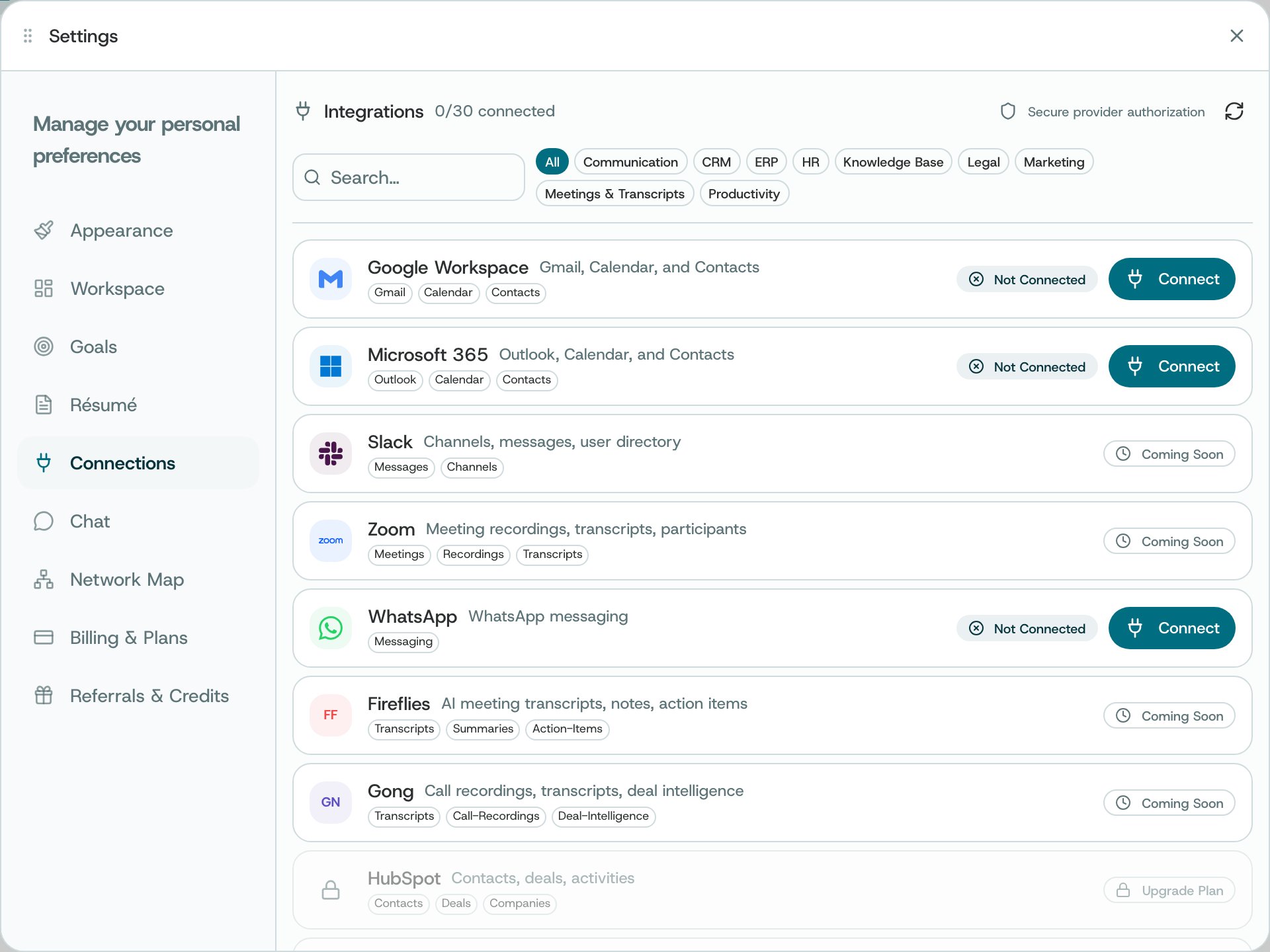
> Choose which accounts and services to connect to O, and check whether they are connected.
Some offer extra choices, such as which calendars or conversations to include.
## Where to find it
Open Settings → Connections.
 ## What you can do
* Choose a service to connect or reconnect, then review the permission request.
* Disconnect a source using its offered action.
* Choose which calendars are included when Calendar Selection is available.
* Use a connected service’s conversation history options to choose what to bring into O.
## How to use it
* Read which information the service is asking you to share before agreeing.
* After returning to O, check that the source reports connected.
* Use the filters to include only the conversations you want O to use.
**Availability and privacy.** Connections may be locked by plan or administrator policy. Only connect accounts you are authorized to use; imported messages and calendars can contain sensitive information.
This documentation is built and hosted on [Mintlify](https://mintlify.com), a developer documentation platform.
## What you can do
* Choose a service to connect or reconnect, then review the permission request.
* Disconnect a source using its offered action.
* Choose which calendars are included when Calendar Selection is available.
* Use a connected service’s conversation history options to choose what to bring into O.
## How to use it
* Read which information the service is asking you to share before agreeing.
* After returning to O, check that the source reports connected.
* Use the filters to include only the conversations you want O to use.
**Availability and privacy.** Connections may be locked by plan or administrator policy. Only connect accounts you are authorized to use; imported messages and calendars can contain sensitive information.
This documentation is built and hosted on [Mintlify](https://mintlify.com), a developer documentation platform.