> ## Documentation Index
> Fetch the complete documentation index at: https://docs.sumbios.ai/llms.txt
> Use this file to discover all available pages before exploring further.
# A member's profile
> Everything O knows about one person, tab by tab, and what you can do from it: add them to a Circle, set a reminder, write a note, add contact details.
export const Annotated = ({src, alt, caption, markers = [], size}) =>
{markers.map(m =>
{m.n}
)}
{caption ? {caption} : null}
;
A profile brings together everything O knows about one person: who they are, why they may matter to you, how you are connected and what has changed. The buttons down its left side let you act on that person without leaving the page.
## When you would use it
Before you contact someone, to see how you know them and what to talk about. After you meet them, to write down what you learned, set a follow-up or add them to the Circle they belong in. Or whenever you want their email, phone or birthday in one place.
## Where to find it
Select a person anywhere in O: in search, in a list on Network, in a Circle or in an answer from Ask O. Their profile opens in a panel beside the page. Pin it back to the dock or close it from the top right.
At the top: their photo, name, role and company, how you are connected (for example **1st degree**), and when they joined their current company.
| # | Element | What it does |
| - | - | - |
| 1 | **Save to circle** | Adds them to one or more [Circles](/network-and-circles/circles), or to a new one. |
| 2 | **Notes** | Opens their notes, where you can write a **New Note**. |
| 3 | **Set reminder** | Sets a follow-up, a meeting, a birthday or another reminder about them. |
| 4 | **Contact info** | Their email, phone, website, birthday, social handles and any extra fields you keep. |
| 5 | **LinkedIn** | Opens their LinkedIn profile in a new tab. |
| 6 | **Sync history** | Syncs their history with you. |
| 7 | **Refresh intelligence** | Updates what O has worked out about them, such as the perspectives and insights. |
| 8 | **Ask O** | Asks O about this person. |
| 9 | **Delete** | Deletes this member. Use it with care. |
| 10 | Skills | Their skills. Open the list to see all of them. |
| 11 | Tabs | **Overview**, **Insights**, **Between you**, **Recent** and **Background**, each explained below. |
| 12 | **Perspective** | The lens you look at them through: **VC**, **Hiring**, **Sales**, **Partnership**, **Ecosystem**, **Engineering**, **Board**, **Founder** and more. |
| 13 | **Why they matter for** your lens | O's short summary of why this person matters from that angle. The sparkle marks text O generated. |
You may also see an **Explore** tab. It is not switched on yet.
## The tabs
### Overview
Below the summary, O lists where the person may be relevant to you, and how to approach them.
| # | Element | What it does |
| - | - | - |
| 1 | **Domain**, **Opportunity**, **Career** | Where the person may be relevant to you. Each card is marked **Hypothesis, to verify**: an idea to check, not a fact. |
| 2 | **How to approach** | One suggestion for how to engage with them. |
| 3 | **Draft investor angle** | Drafts an angle for an investor conversation with them. |
| 4 | **Find warm intro** | Looks for people who can introduce you. |
### Insights
O's read of the person in one place: a summary, what stands out, and what to check.
| # | Element | What it does |
| - | - | - |
| 1 | **At a glance** | The summary view, shown here. |
| 2 | **What stands out** | The details that set this person apart. |
| 3 | Summary | Who they are, in a few lines. |
| 4 | Facts | **Seniority**, **Title**, **Domain**, **Outreach** and **Network**, as O reads them. |
| # | Element | What it does |
| - | - | - |
| 1 | **Where there may be momentum** | Where working together could go now. |
| 2 | **What to verify** | Questions to ask before you rely on O's read, ideally in your next conversation. |
### Between you
What connects the two of you, and what O can see of your history together.
| # | Element | What it does |
| - | - | - |
| 1 | **Shared context** | What you have in common, shown here. |
| 2 | **Prepare to connect** | Helps you prepare to reach out to them. |
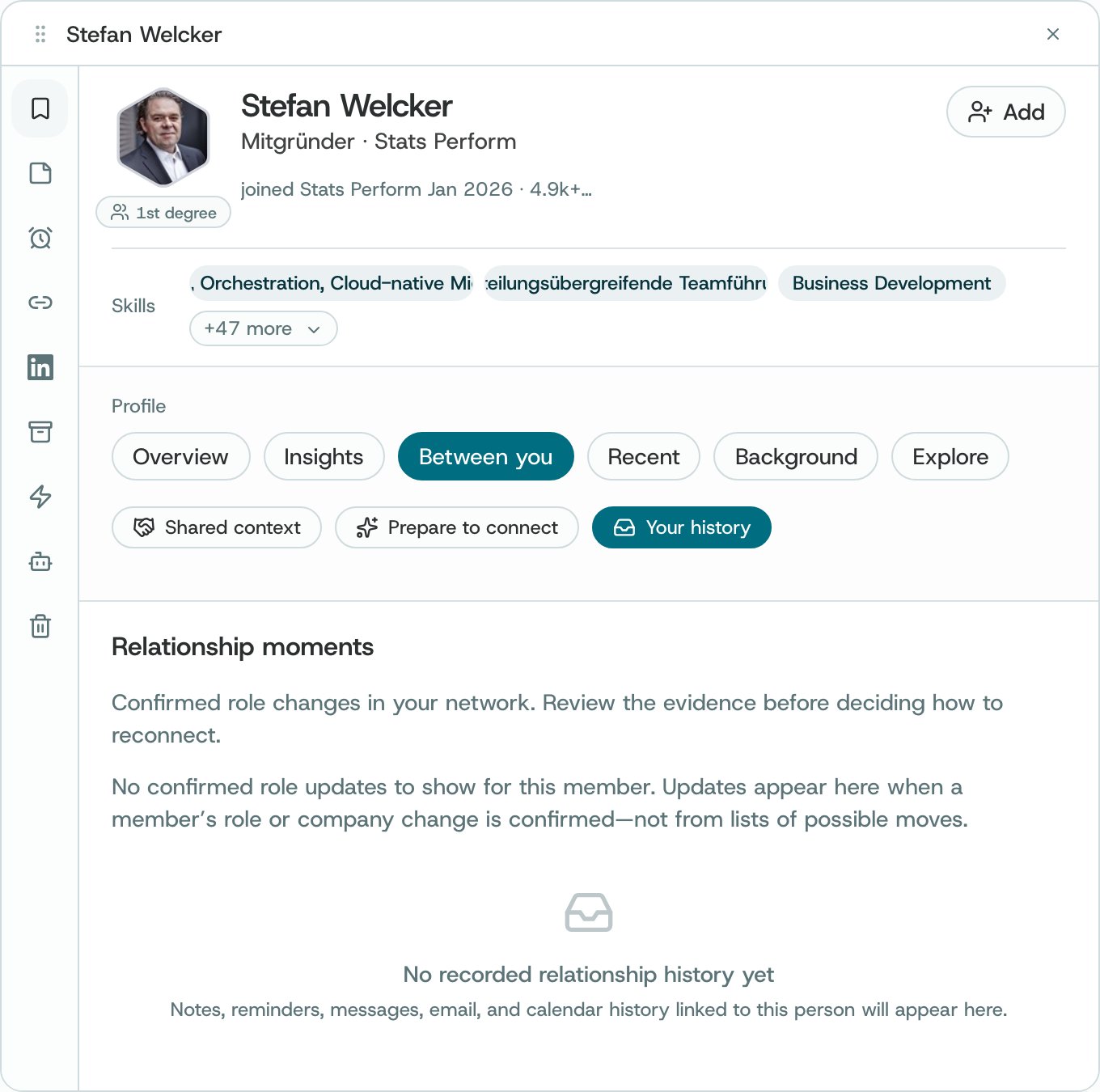
| 3 | **Your history** | **Relationship moments** (confirmed changes to their role or company, with the evidence to review), then the notes, reminders, messages, email and calendar history linked to this person. |
| 4 | **Connection Strength** | How much communication evidence O has between you. With little to go on, it says so, here **Insufficient communication evidence**. |
| 5 | **Tag** | Adds a tag to this relationship. |
| 6 | **Shared context** | Shared skills, the same company and shared experience. |
### Recent
What they have shared and what has changed for them, when O has it.
| # | Element | What it does |
| - | - | - |
| 1 | **What they share** | Their posts, comments and reactions. |
| 2 | **Around their work** | Activity around their company and role. |
| 3 | **What changed** | Changes to their profile. |
| 4 | Counters | How many **Posts**, **Comments**, **Reactions** and **Stored** items O has. |
| 5 | Filters | **All history**, or only posts, comments or reactions. |
### Background
Their professional background, in sections you open one at a time.
| # | Element | What it does |
| - | - | - |
| 1 | **About** | Their summary, in their own words. |
| 2 | **Experience** | Their roles, with how many and since when. |
| 3 | **Education** | Their schools. |
| 4 | **Licenses & certifications** | Any they list. |
## How to
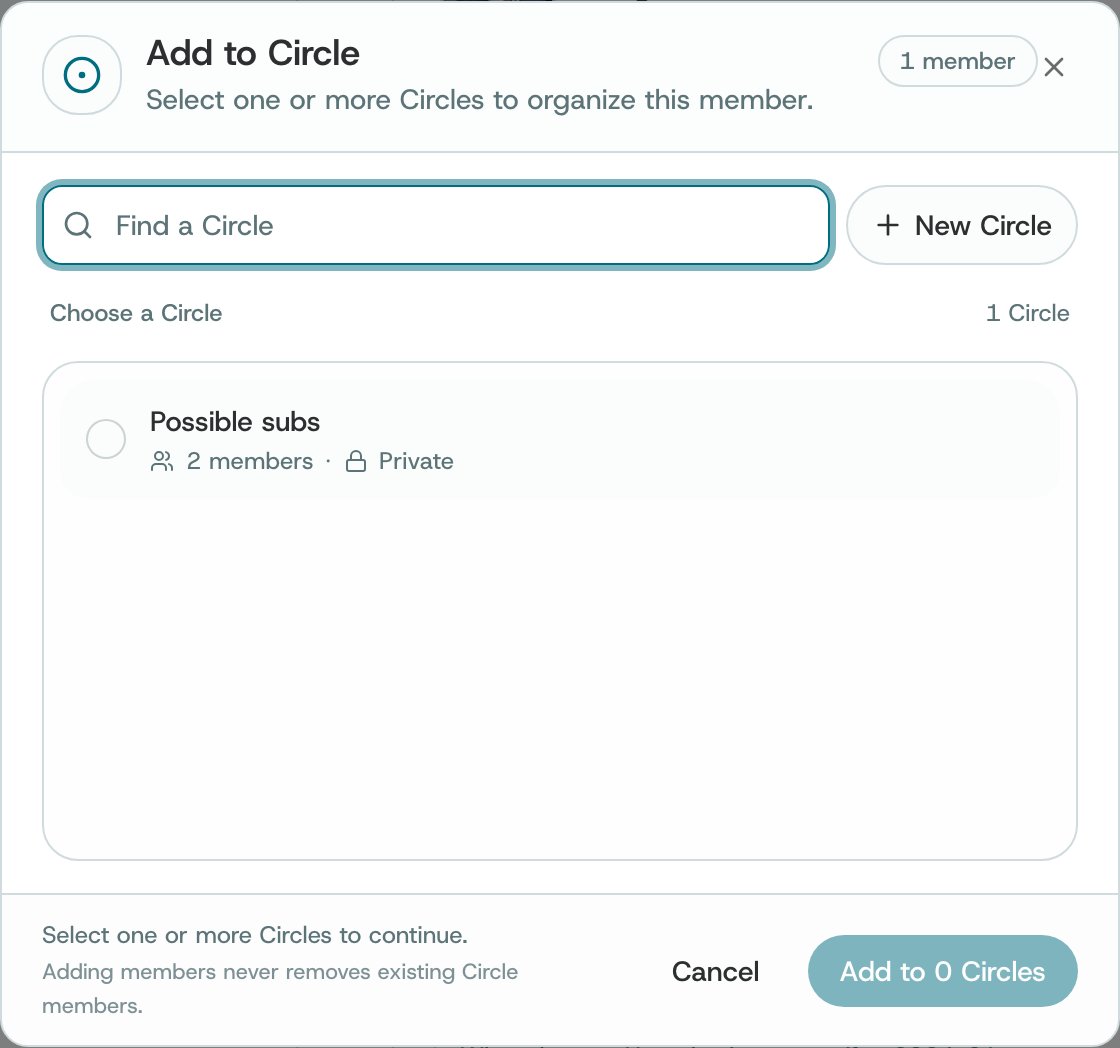
Choose **Save to circle**. Pick one or more Circles, or choose **New Circle**, then confirm with the **Add to** button, which counts the Circles you picked. Adding someone never removes anyone already in a Circle.
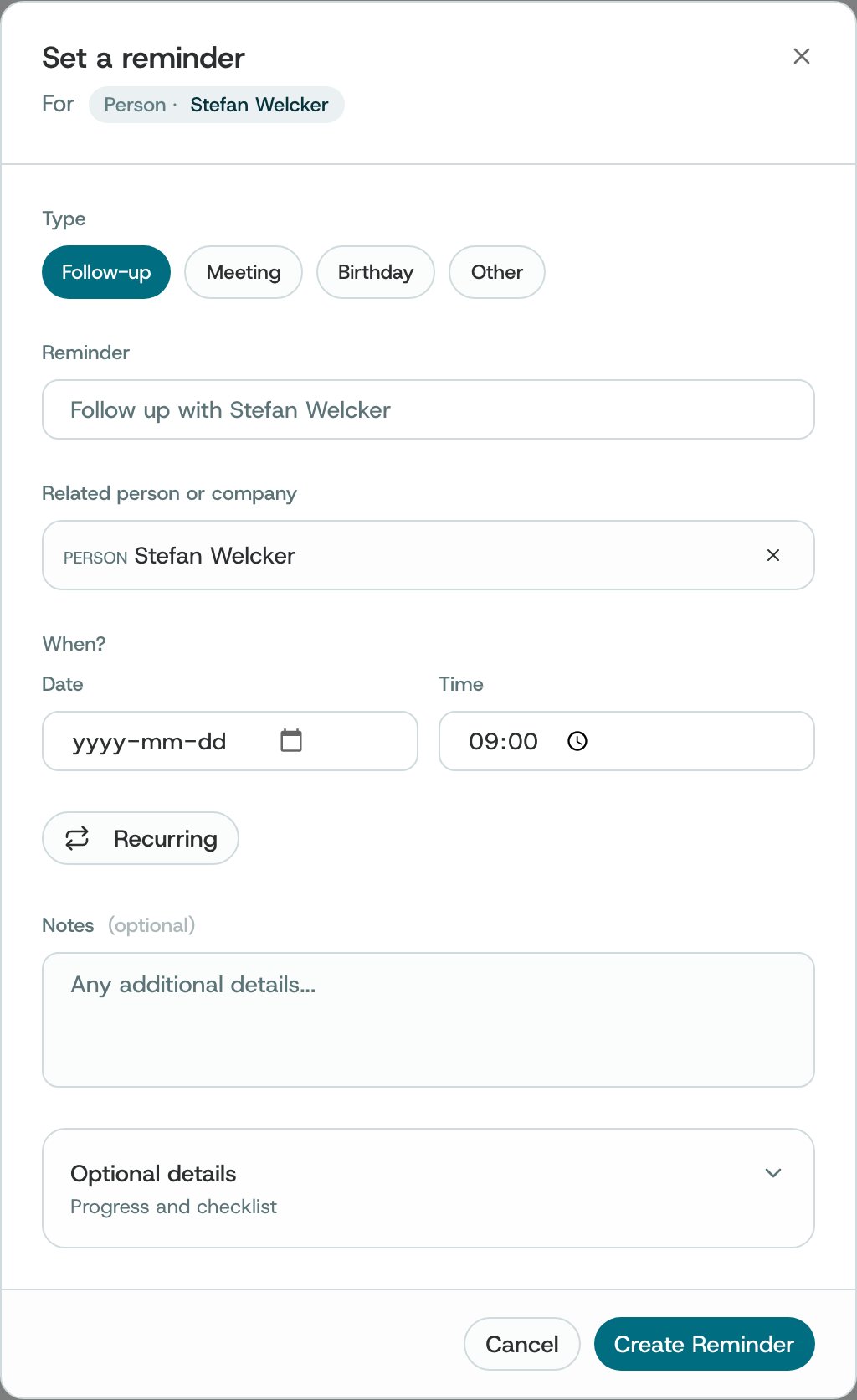
Choose **Set reminder**. Pick a type (**Follow-up**, **Meeting**, **Birthday** or **Other**), write the reminder, and choose the date and time. Make it **Recurring** if it repeats, add notes if you like, then **Create Reminder**. It appears in [Notifications → Reminders](/notifications-and-conversations/reminders).
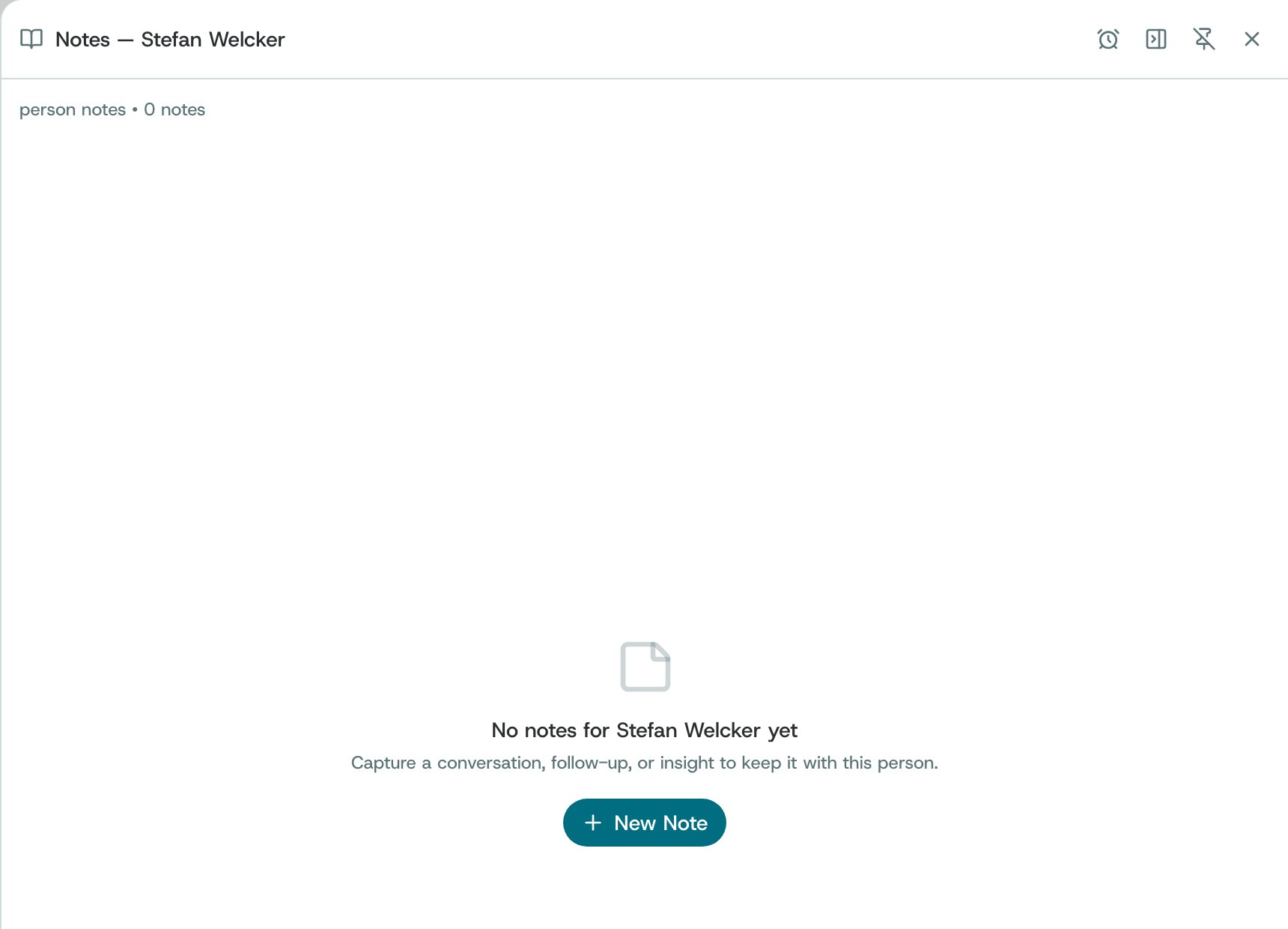
Choose **Notes**, then **New Note**. Capture a conversation, a follow-up or an insight, and it stays with this person.
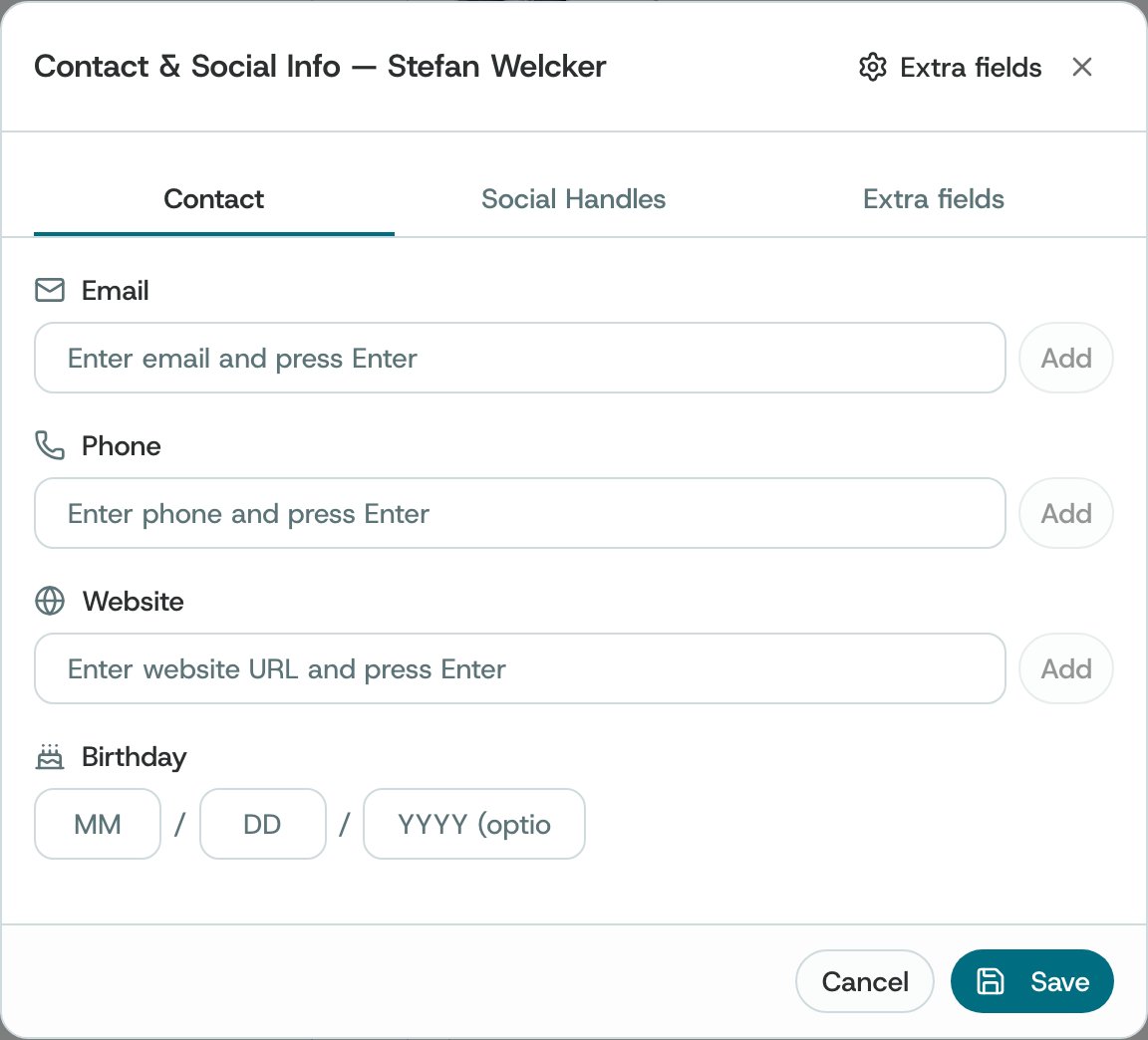
Choose **Contact info**. On **Contact**, add an email, phone, website and birthday; on **Social Handles**, their X / Twitter, TikTok, Instagram, Facebook, Threads, Bluesky or Reddit. On **Extra fields**, define named sets of fields you want to keep for many people, for example investor fields, and use one as your default. Then **Save**.
Choose **Ask O** on the left, or **Find warm intro** on Overview, to go further with O.
## What O does behind it
* **Hypotheses, not facts.** O's cards are marked **Hypothesis, to verify**, and Insights ends with **What to verify**. Check them before you rely on them.
* **Evidence first.** Connection Strength and Your history come from your notes, your reminders and your connected sources. Where O has little to go on, it says so; it is a snapshot, not a verdict.
* **What you add is yours.** Your notes, reminders and contact details are kept in your account. Notes are shared with a friend only if you turn on **Notes** in their [access settings](/network-and-circles/friends-and-sharing).
* **O never contacts them.** Nothing on a profile sends a message or reaches out in your name.
**About other people.** A profile shows what O has gathered about someone from your sources and public information. Use it to prepare and to remember, and treat what you read about people with care.
## Related
Find the person you want, then open their profile.
Keep the people you need for one purpose together.
Everything you have written, across people and companies.
Every reminder you have set.
This documentation is built and hosted on [Mintlify](https://mintlify.com), a developer documentation platform.
 ### Recent
What they have shared and what has changed for them, when O has it.
### Recent
What they have shared and what has changed for them, when O has it.